On this page
- Quick problem finder
- Chicken door not opening in the morning?
- Failure 1: ice and freeze-thaw
- Failure 2: dead batteries and solar in shade
- Failure 3: WiFi and app doors that lose connection
- Failure 4: light sensor and timer mistakes
- Failure 5: a door that closes on a hen or jams
- Hens locked out at dusk and shut in on hot mornings
- How to get an alert when a door fails
- Brand troubleshooting pages
When an automatic chicken door is not working, the cause falls into one of five groups: ice or debris in the track, dead batteries or weak solar, a lost WiFi connection, a light sensor or timer set wrong, or a jam that trips the obstacle sensor. Each has a fix below. The failure that matters more is the one you don’t see. A door that stays open overnight lets a predator in, and a door that stays shut on a hot morning can cook a flock. One habit protects your hens in every case: confirm the door closed at dusk, by eye or by alert.
Short answer
5 failures, 1 habitice, power, WiFi, timing, jams
The five failures are ice or debris in the track, dead batteries or solar in shade, a lost WiFi connection, a light sensor or timer set wrong, and a door that closes on a hen or jams. The habit is a look at the door at dusk, or a sensor or camera that alerts you when it did not close.
Quick problem finder
Match what you see to the likely cause and check that first. The table condenses the fault lists in Cooptender’s guide and Omlet’s fault guide, plus the partial-close checks in failure 5.
| What you see | Likely cause | Check first |
|---|---|---|
| Door will not move, no motor sound | Power switch off, loose cord, dead outlet or battery | Switch, cord and battery |
| Motor runs but the door stays put | Debris, or dry or thickened lubricant on the drive; track out of line | Clear the track, clean the drive |
| Door opens or closes at the wrong time | Light threshold, a nearby light, a wrong clock entry | Clock, 24-hour entry, sensitivity, or switch to timer mode |
| Door stops, reopens or shows an error | Something in the doorway, or a jammed or corroded sensor | Clear the doorway, then clean and recalibrate |
| Door goes down partway, then stops | Binding rails, a swollen or warped frame, packed dirt at the sill, a lift line on the wrong side | Loosen the rail screws a little, clean the sill, check the line |
| Motor hums but the gear never turns | A failed motor or drive inside the unit | Set the door to manual, close it by hand and call the maker |
| Door sticks in winter | Ice in the track, cold-weakened batteries | Clear the ice, warm the batteries or move to mains |
| App shows offline, schedule missed | Lost WiFi, or a door that depends on it | Router range and band, and whether the schedule lives on the door |
Chicken door not opening in the morning?
Check four things, in this order: power, ice, the light setting and the clock. The makers’ fault guides point to these four when a door that closed fine at dusk stays shut at dawn.
Check power first, because batteries sag overnight in the cold. Look for a warning light before you take anything apart. On a Run-Chicken door, a flashing red light means low batteries, and a door with a low battery can stay shut on a freezing morning. Fresh batteries fix it. Battery capacity drops sharply below about 20°F, and Omlet tells owners to warm the batteries during a long cold spell. A solar door that charged poorly on short winter days can run flat overnight. The battery and solar section covers the fixes.
Check for ice next. Freezing rain or overnight condensation locks a door in its track, and thickened lubricant gives the “motor runs but the door stays put” symptom. Clear the track by hand, then read the ice and freeze-thaw section.
Then check the light setting. A light-sensor door opens when the morning gets bright enough, and sensors misfire when the threshold does not suit your coop or the seasons shift daylight. On a dark, overcast winter morning the door opens late or not at all. If your door shows a light reading, take one at the coop on a gray morning at the time you want it open, and compare it with the open setting. Aim any winter coop light away from the sensor; the chicken coop light guide covers placement. Adjust the sensitivity or switch to timer mode, as the light sensor and timer section explains.
Last, check the clock. Timer doors open at the wrong time after a clock change or a power cut, and Omlet shipped a firmware fix for exactly that on mains doors in time mode. Check the time, the 24-hour entry and the firmware.
Failure 1: ice and freeze-thaw
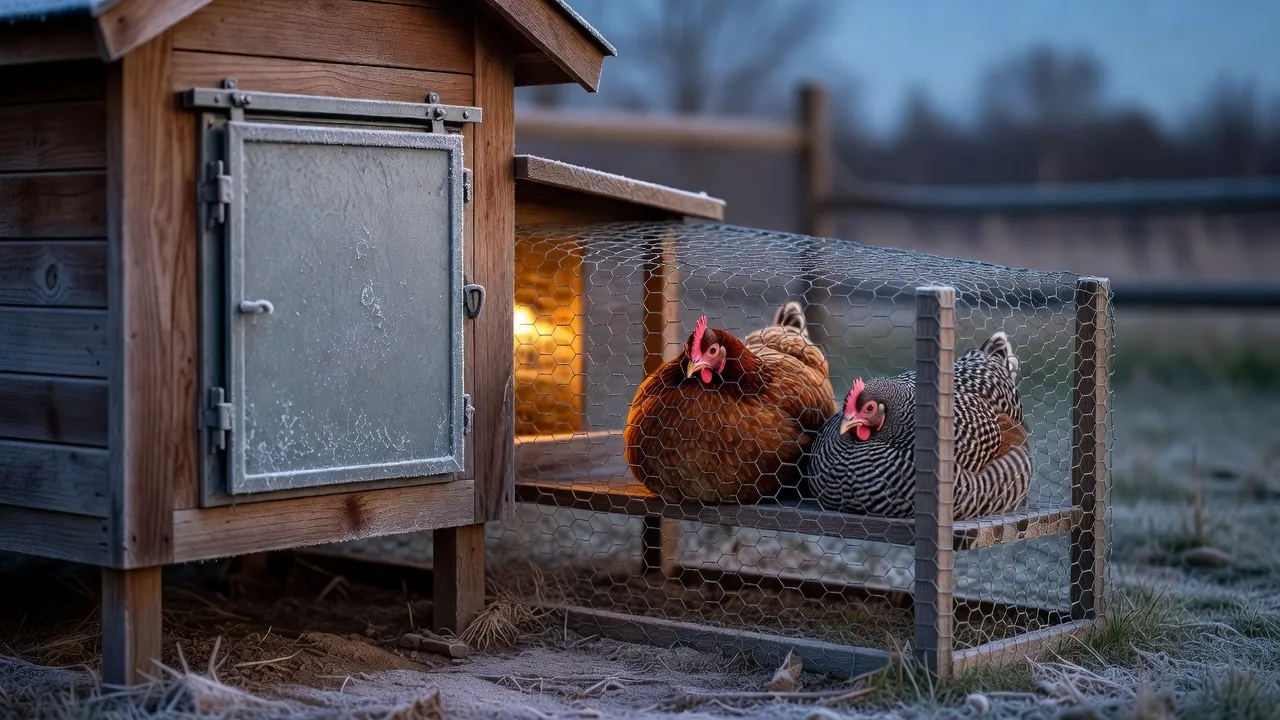
Ice jams the track and cold weakens batteries, so a door that works in October sticks in January. Ice forms around the door edges and track and blocks movement. Chip it out by hand and keep the coop ventilated to cut the moisture. Cold also thickens lubricant, which produces the “motor runs but door doesn’t move” symptom, so switch to a low-temperature lithium grease.
Batteries sag in the same weather. Capacity drops significantly below about 20°F, so consider mains power for the coldest months. Omlet rates alkaline batteries for 0°F to 131°F (-18°C to 55°C), builds its Autodoor to work down to -4°F (-20°C), and tells owners to warm the batteries now and then in a long cold spell. Two makers, two numbers. Read the manual for your own door.
Owners see the freeze in the wild. A Run-Chicken owner on r/homeautomation reports the door sometimes freezing open or closed. One door seller’s list of cheap-door failures flags locks you cannot release by hand when they freeze. That is a seller’s claim, but ask any maker about it.
My advice is simple. Mount the door under an overhang, or build a small roof over the track, so freezing rain and drifting snow never reach it. Fix a wet coop before you blame the door, since moisture is what turns a damp track into ice. The winter ventilation guide covers that. Whichever door style you pick, a track you can see and reach is a track you can clear. The best automatic doors roundup compares door styles.
Failure 2: dead batteries and solar in shade
A dead battery leaves the door wherever it stopped, and a solar panel in shade drains the battery all winter. Three power faults cover most battery and solar doors: a battery older than about 3 to 5 years, weak sunlight, and wiring faults such as reversed solar leads or a blown fuse (Cooptender). Even partial shade cuts solar output sharply, and short winter days barely charge a panel. Keep panels clear of trees, overhangs and snow.
Battery life is a standing support topic at the big makers. ChickenGuard’s troubleshooting collection has articles on short battery life and short battery life in winter, and Omlet answers the cold-weather question on its help center. The battery Autodoor runs on 4 AA batteries for up to 6 months. One seller also claims some cheap doors give no low-battery warning and lose their settings when you swap batteries.
Pick a door that warns you before the battery dies, and change batteries on a calendar date instead of waiting for the warning. A set of batteries costs less than a door left open overnight, so change them before the maker’s stated battery life runs out. Late fall is a good date, so the door goes into the cold months on a fresh set. If you want solar anyway, read the solar door guide first, because winter shade is where solar doors fall short.
Failure 3: WiFi and app doors that lose connection
A door that needs WiFi to close can miss a close when the connection drops. One keeper wrote in a backyard poultry Facebook group that they lost their whole flock after the door did not shut at 6:38 pm because it lost its internet connection. The post does not say which brand.
The fix starts before you buy. Ask whether the schedule lives on the door itself and whether it closes with WiFi off. Omlet keeps all the settings in the control panel, so the door runs its program through an outage and the app comes back with the connection. That is the design I want: WiFi adds alerts and remote control, and it never decides whether the door closes. The Omlet review covers that door in detail.
If you already own a WiFi door, fix the signal. The usual problems are wrong credentials (they are case-sensitive), a 5 GHz network on a door that needs 2.4 GHz, router filtering, metal near the module, and distance. Omlet’s numbers are within 30 feet of the router on one page and within 65 feet of a WiFi source on its support page. Plan for the shorter number, and add a range extender if the coop sits far from the house.
Failure 4: light sensor and timer mistakes
Wrong-time doors come down to three settings: the light threshold, the clock and the schedule. Light sensors misfire when the threshold does not fit your coop, when a nearby light confuses the sensor, or when the seasons shift daylight. Adjust the sensitivity and watch the door for several days, or switch to timer mode. On a timer, check the clock and enter times in 24-hour format.
The light-sensor fix has limits. Light falls fast at dusk, so moving the close threshold only shifts the closing time by a few minutes. On a door that shows its open and close triggers as numbers on a light scale, a lower number means darker. To match your own dusk, stand at the coop a little after sunset, take a reading with the door’s read function and enter that number as the close value. To open later in the morning, raise the open number.
For hens that come in late, use the close delay. It keeps the light trigger and holds the door open for a set time after it fires, which gives stragglers time without touching the threshold. Brands name it differently, so look for a close delay or an offset in your manual before you chase the light threshold.
Seasons matter most with a fixed timer. A close time that suits December locks late hens out in June, and one that suits June leaves the door open for hours after dark in December. A porch light, yard light or street light shining on a light sensor can hold the door open at night. After the clocks change, check the door’s clock; the guides above tell you to verify the time, and a mistake of one hour is enough to cause trouble.
Software bugs add a fourth cause. Omlet’s public firmware changelog shows a fix for mains-powered doors in time mode that opened or closed at the wrong time after a power cut. Keep the firmware current on any app door.
Failure 5: a door that closes on a hen or jams
Obstacle sensors stop the door from crushing a hen. When they trip, the door retries and then stays open. That is the safe failure for the hen and the dangerous one for the flock overnight. On an Omlet, the sensors flag an obstruction, most often a chicken lingering in the doorway. The door nudges it, reopens, tries to close up to five more times, then stays open and shows an error. Smart doors also send an app notification. Without one, an error on a panel nobody is watching is an open door.
Jams come from the same places on every brand: feathers, bedding, debris and ice in the track. After months of disuse, clear out caked dirt before you assume the motor failed. A door seller also claims geared mechanisms on cheap doors can injure a bird caught under the door, and that straw, manure, dust and mud jam them. Treat that as a reason to ask about obstacle sensing, not as a measured failure rate.
Door goes down partway or stops short
A door that stops short is the quieter version. A Run-Chicken owner on r/BackYardChickens reported a two-month-old door that stopped closing all the way and needed a push. A gap under a closed door lets in a weasel or a rat, so treat a short close like a jam: clear the track and the bottom edge, then follow the maker’s adjustment steps or call support before you trust it overnight.
Binding rails stop most lift doors. A lift-style door stops when its line goes slack, because the controller reads slack as the door sitting on a hen or reaching the bottom. So the door does not need to be stuck to stop. A little friction from rails set too close, a warped board or a swollen frame takes enough of the door’s weight to halt it. Work through these checks in order:
- Make sure the lift line sits on the correct side of the posts. A flipped line leaves the door unable to go down at all, which looks like a dead controller even though nothing is broken.
- Loosen the rail screws about half a turn, top and bottom, so the rails have a little play.
- If it still stops, lift the door out of the rails and let it hang free, then cover the sensor. If it goes down cleanly now, the rails are the problem.
- Clean packed dirt out of the bottom notch of the track. Hens walking over it pack it in until the door no longer closes all the way. At install, back the mounting screws off about a quarter turn, because a wooden coop wall swells and twists through the seasons and binds the door.
When the door retries over and over with nothing in the way, or the motor runs and nothing moves, the fault sits inside the unit. Test it off the coop with the track clean. If it still faults, call the warranty line. Until the replacement arrives, set the panel to manual, open the pop door each morning and close it by hand each night. That is the right stopgap for any door you cannot trust.
Obstruction errors show up in owner groups too. An Omlet owner in a Facebook group reported a door that ran fine for months, then stuck open with a crush-detected message. Check that the roosting rack sits in its correct position, as Omlet’s guide directs.
Hens locked out at dusk and shut in on hot mornings
A failed door hurts in two directions: it leaves hens outside or the coop open at night, and it keeps hens shut in when the day heats up. Both outcomes show up in owner threads.
Locked out or left open
A door that closes early, or never closes, leaves the flock in the open. Keepers describe it in an r/chickens thread and a Facebook post titled Auto chicken coop door failure leaves chickens roosting outside. One keeper in another Facebook group lets the timer open the door each morning but closes it only after checking every bird is in. A door cannot count hens, and that check is the one job a timer cannot do. Treat the door as one layer of defense and read the predator-proof coop guide for the rest.
Shut in during heat
A door that stays shut on a hot morning turns the coop into a hazard. The top reply in the r/BackYardChickens thread Auto door failed, 3 chickens died puts it plainly: “You have two problems. Auto door failure and your coop is getting too hot.” A commenter on r/homeautomation describes a friend losing a flock in Florida heat when a door failed to open.
Heat stress in poultry starts above 80°F, survival becomes a concern above 100°F, and clean, cool water and ventilation matter most. So the fix goes beyond the door. Give the coop vent area that stays open day and night, covered with hardware cloth, and keep water inside. The ventilation guide explains vent sizing, which protects hens in summer too. If your mornings run hot, add a second exit that does not depend on the automatic door.
Hot morning, shut door
Heat stress starts above 80°F, and survival becomes a concern above 100°F (Penn State Extension). On a hot forecast, open the door by hand before you leave and confirm the vents are open.
How to get an alert when a door fails
A door contact sensor, a camera or a smart plug turns a silent failure into a phone alert, and the contact sensor does the most for the least effort. Pick one, then set the alert to fire if the door still reads open some time after its scheduled close.
- A magnetic sensor on the door reports open or closed to a home hub. A cheap Zigbee door sensor does the job, as an r/homeautomation thread and a Show and Tell post on a chicken coop door sensor show. Keep the hub and the sensor battery powered, because a dead sensor is its own silent failure. Prices vary by hub and brand, so check the current price on the product you pick.
- A WiFi camera with night view aimed at the door shows the door and the hens in one frame. It catches the failures a door cannot report, such as a door that stopped partway on a hen roosting in the doorway. It needs power and WiFi at the coop, and it doubles as a heat check on summer mornings.
- On a plug-in door, a smart plug on the power adapter tells you when mains power drops. It does not confirm that the door closed, so use it with a sensor or camera, not instead of one.
- Run two doors of different brands or power types, so one cause such as a power cut, a WiFi outage or a frozen track does not take both.
Brand troubleshooting pages
Start with the maker’s own guide for your model, because the fix list differs by door.
- Omlet: the Door Fault Troubleshooting guide has eleven checks: firmware, inspection, cleaning, roosting-rack position, recalibration, warping, motor, gear stay, gear rack, control-panel connectors and wiring. Its last step is replacing parts. The Omlet review summarizes these and the owner reports.
- ChickenGuard: the help center collection covers batteries, light sensor help, wrong open and close times, a stopped motor and door obstruction errors.
- Cooptender: the troubleshooting guide splits faults into won’t open or close, wrong time, WiFi, motor runs but door doesn’t move, and power.
- Run-Chicken and Chickcozy: use the manual that came with the door and the maker’s support team. Photograph the fault before you take anything apart.
Door failures, brands and what they cost all live in the automatic chicken coop doors hub.
Questions people ask
Why won't my automatic chicken door close?
Check in this order: power (switch, cord, battery), debris or ice in the track, binding rails or a swollen frame, something in the doorway that trips the obstacle sensor, then the light sensor or timer settings. Cooptender's guide and Omlet's fault guide walk through those checks for their own doors.
Why does my coop door open at the wrong time?
The usual causes are a light sensor threshold that does not fit your coop, a yard or street light near the sensor, the season shifting dusk, or a wrong clock entry. Adjust the sensitivity and watch the door for several days, switch to timer mode, and enter times in 24-hour format (Cooptender). If hens get shut out at dusk, add a close delay instead of moving the light threshold. Check the door clock whenever the clocks change.
Can an auto door kill a chicken?
Yes, in three ways. A door that stays open or leaves hens outside exposes the flock to predators, a door that stays shut can trap hens in a hot coop, and a door can close on a bird. Obstacle sensors exist for the last one, and a sensor or camera alert covers the first two.
How do I know if my coop door closed?
Look at it at dusk with the hens inside, or add a contact sensor or camera that sends a phone alert if the door is still open after its scheduled close time. A schedule tells you what the door should do, not what it did.
Why is my chicken door not opening in the morning?
Check power, ice, the light setting and the clock, in that order. Cold nights drain batteries, freezing rain can lock the track, a light sensor may not trip on a dark winter morning, and a timer door can drift after a clock change or a power cut. Clear the track, warm or replace the batteries, then adjust the sensor or switch to timer mode.
Should I still close the door by hand?
Until you have an alert, yes. A timer cannot count hens, so a quick dusk check is the backup. Once an alert is in place, keep the hand close as the plan for storm nights and for any evening the alert goes quiet.
Sources
- Omlet help center: Door Fault Troubleshooting
- Omlet help center: What does the Crush Detected message mean?
- Omlet help center: Does cold weather affect the batteries?
- Omlet Smart Autodoor support center (connection loss, power)
- Cooptender: Automatic chicken door troubleshooting guide
- ChickenGuard help center: Door opener troubleshooting advice
- Penn State Extension: Hot Weather Management of Poultry
- Safe Coop (a door seller): 21 reasons to avoid cheap automatic chicken doors
- r/BackYardChickens: Auto door failed, 3 chickens died (owner report)
- r/homeautomation thread on a chicken door sensor (owner reports)
- r/BackYardChickens (September 2026): Run chicken doors, stopped closing all the way

Written by Kyle
Kyle has kept backyard chickens on his own small farm for five years. He reads the extension research, the spec sheets and the owner complaints, then tells you what he would buy and what he would skip.